Alright, this one is special. As far as I can recall, Metal Gear Solid was my first proper video game. I mean, of course, I did have my fair share of Mario, Midtown Madness and Shogun, but Solid Snake was one that opened the doors for me to see what gaming with strong storytelling can potentially do. So, you can understand my awe and shock when I was approached with the review unit of Asus ROG Flow Z13 Kojima Productions Edition.
Hideo Kojima is an OG of the video gaming world with franchises such as the Metal Gear series and the Death Stranding Series under his name. He is what we fans call the Christopher Nolan of gaming. It can go the other way too, though. Long story short, Kojima is a game creator whose name resonates with an eccentric taste and attention to detail. He also has a knack for combining Hollywood with gaming, due to which we have the star-studded cast of Death Stranding 1 and 2.
Coming to the PC itself, for something like this to be approved by Kojima and his team, it says a lot about the product already. There are also only a handful of laptops that have made me smile ear to ear with a childlike wonder, and this is one that is definitely at the very top of that list.
This barely legal laptop (and there is a good reason I call it so) in its very tiny 13-inch frame offers something that most laptops just cannot. An enormous amount of compute stashed nicely by AMD’s Strix Halo-based CPU, a total of 128GB of unified memory, along with AMD’s flagship APU, the Radeon 8060s, equivalent of Nvidia’s RTX 4060 discrete graphics card.
This gaming laptop is different on so many levels that it is hard to identify it as a laptop at first. For me, for the last whole month, this has been nothing short of a productivity powerhouse and a total blissful experience. Add to that the feeling of using a machine approved by Hideo Kojima himself, and it just makes the whole experience unfathomable.
In this review, we will understand what makes this laptop not just great for gaming, but also an exceptional tool for creators on the go.
Let’s begin.
Core Specifications: Asus ROG Flow Z13 KJP Edition
CategoryDetailsModelROG Flow Z13 KJP (GZ302EAC)Operating SystemWindows 11 HomeDisplay13.4" WQXGA (2560×1600), 180Hz, 3ms, 500 nits, 100% DCI-P3, Dolby Vision, Pantone ValidatedProcessorAMD Ryzen AI Max+ 395 with Radeon 8060S GraphicsMemory128GB LPDDR5X-8000, quad-channel, unified architectureStorage1TB PCIe 4.0 NVMe M.2 SSDNPU50 TOPSBattery70WhCharging200W bundled adapter; up to 100W USB-C PD fast chargingWeightAbout 1.25 kilos (tablet only, without keyboard cover)Thickness15 millimetreWirelessWi-Fi 7, Bluetooth 5.4Ports2× USB4, 1× USB 3.2 Gen 2 Type-A, 1× HDMI 2.1 FRL, microSD (UHS-II), 3.5mm combo jackBuild Quality: This Is How You Do It - Built Around Ludens
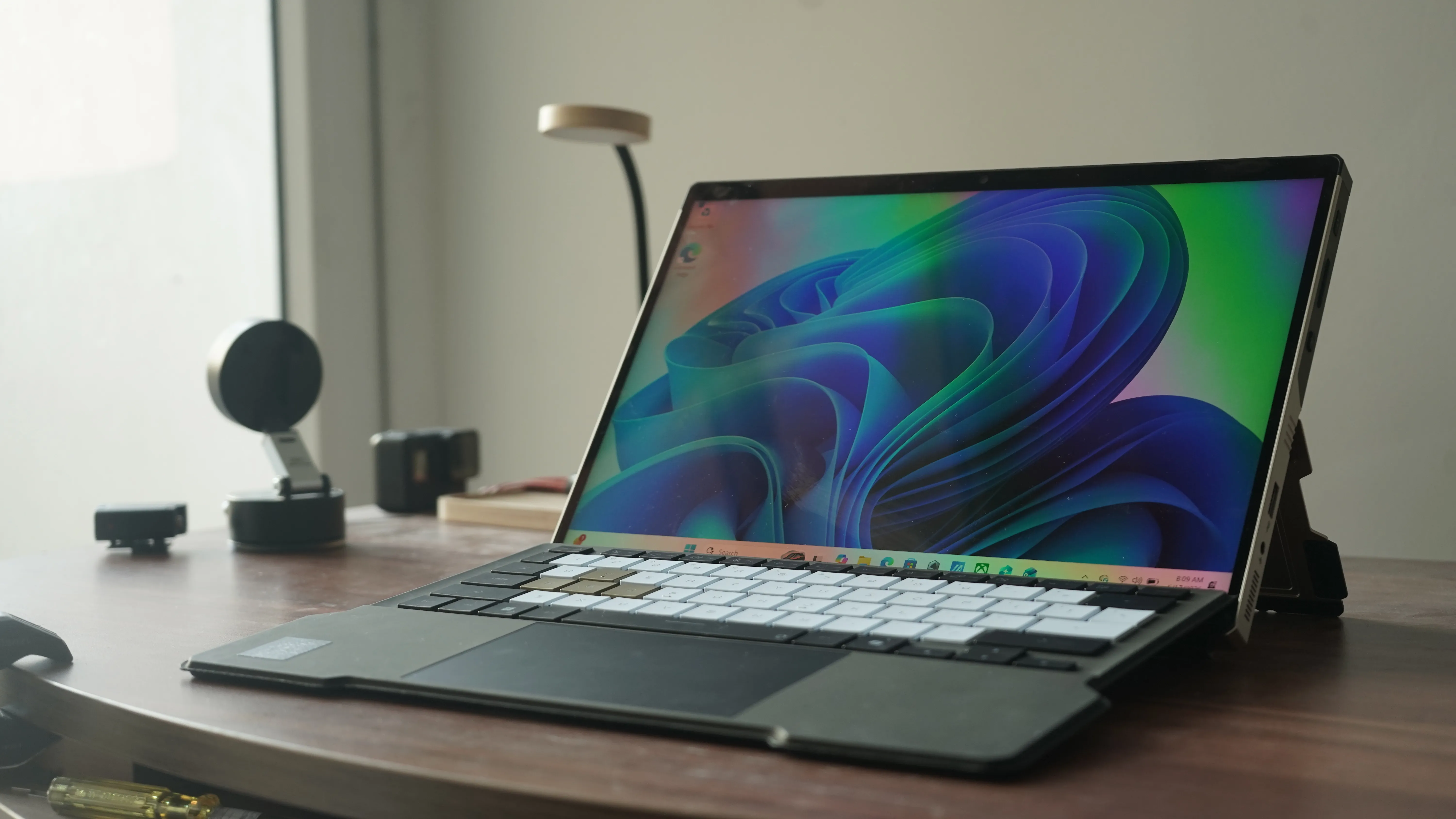
This hybrid super tablet cum gaming PC is a good example of what great build quality in laptops can look like. Attention to detail, enthusiast-grade CMF, and top-tier portability - that is how I can describe my first impressions of this machine.
The material they have used for this frame is termed Decennium Gold. It is not actual gold. Instead, it is the distinct golden finish on this limited-edition gaming laptop. A lot of items in this laptop and the whole package are different from regular Asus products. For instance, the suitcase that comes along with the laptop is a complete replica of the bag that the protagonist carries with him in the Death Stranding game. It is a bit smaller in size, though.
.jpeg)
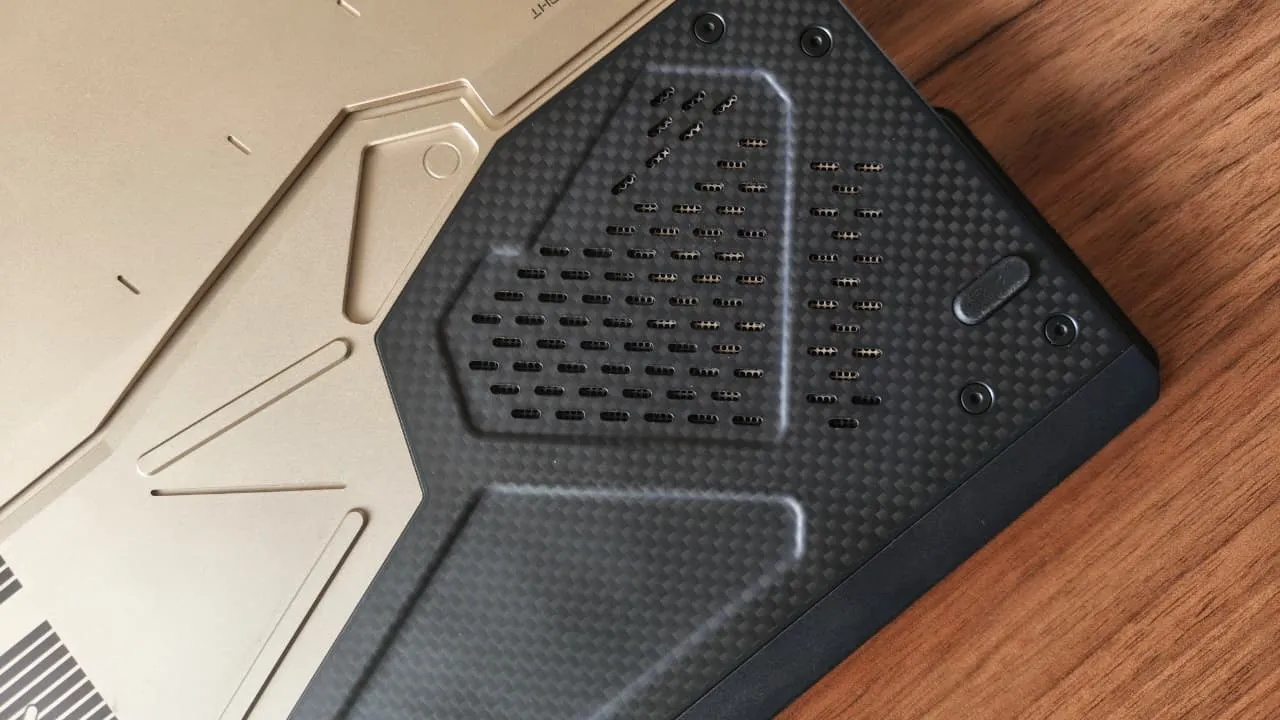
.jpeg)
That said, first things first. Who is Ludens? Ludens is KOJIMA PRODUCTIONS' company mascot, a character depicted in a stylised "extra-vehicular creative activity" (EVA) suit, essentially a hybrid of an astronaut's spacesuit and a knight's armour. The name plays on "Homo Ludens" (Latin for "playing man"), and the character is meant to represent the studio's belief that humans are not just thinkers but players and creators. It was co-designed by Kojima himself and illustrator Yoji Shinkawa, whose credits include the visual identity of the Metal Gear series and Death Stranding.
The collaboration's logic - ROG's long-running tagline is "For Those Who Dare. Kojima Productions' philosophy is "From Sapiens to Ludens." ASUS has fused the two into a joint tagline for this device: "For Ludens Who Dare." The pitch, per ASUS, was to design a machine that looks like a piece of equipment Ludens himself would carry into the field, which is why early concept sketches lean into a "spacewalk-ready" tablet aesthetic, complete with a protective, zero-gravity-style carrying case.
The result? A marvellous-looking laptop that gamers can relate to. The chassis is CNC-milled aluminium with angular, faceted cutouts that echo Shinkawa's illustration style, combined with visible carbon fibre panelling. ASUS has also gone deep on small details: laser-etched vent patterns, custom keycap artwork and typography, and a unique pattern engraved into the underside of the tablet. Even the 200W power adapter gets bespoke graphic treatment rather than being a plain brick, something ASUS explicitly frames as "less of an accessory, more of a companion."
PS - Every unit ships with a redeemable Steam code for Death Stranding 2: On the Beach, delivered through a first-boot Armoury Crate pop-up that walks the user through redemption after they submit an email address.
Typing Experience On The Detachable Keyboard
The detachable keyboard turned out to be much more than a party trick. The keyboard can be used in two modes. Firstly, where it lies absolutely flat on the surface, and secondly, where it folds slightly at the junction with the tablet. In the latter, the keyboard gets a very slight elevation, making it easier to type. Both modes work well.
.jpeg)
.jpeg)
The typing experience is not something to boast about, to be honest. That said, it feels very good to use. The keys have decent travel and a good amount of feedback. The keyboard itself is charcoal black with a leathery texture. The keys are coloured thematically, matching the colour palette of the machine. Gaming keys, i.e., W, A, S, and D, are coloured in Decennium Gold, whereas the rest of the letters and numbers are coloured in ivory white. The font used on the keys is also custom-made.
The function keys, Windows key, Copilot key, spacebar, arrow keys, etc, are coloured black.
Display: 13.4-inch ROG Nebula Display
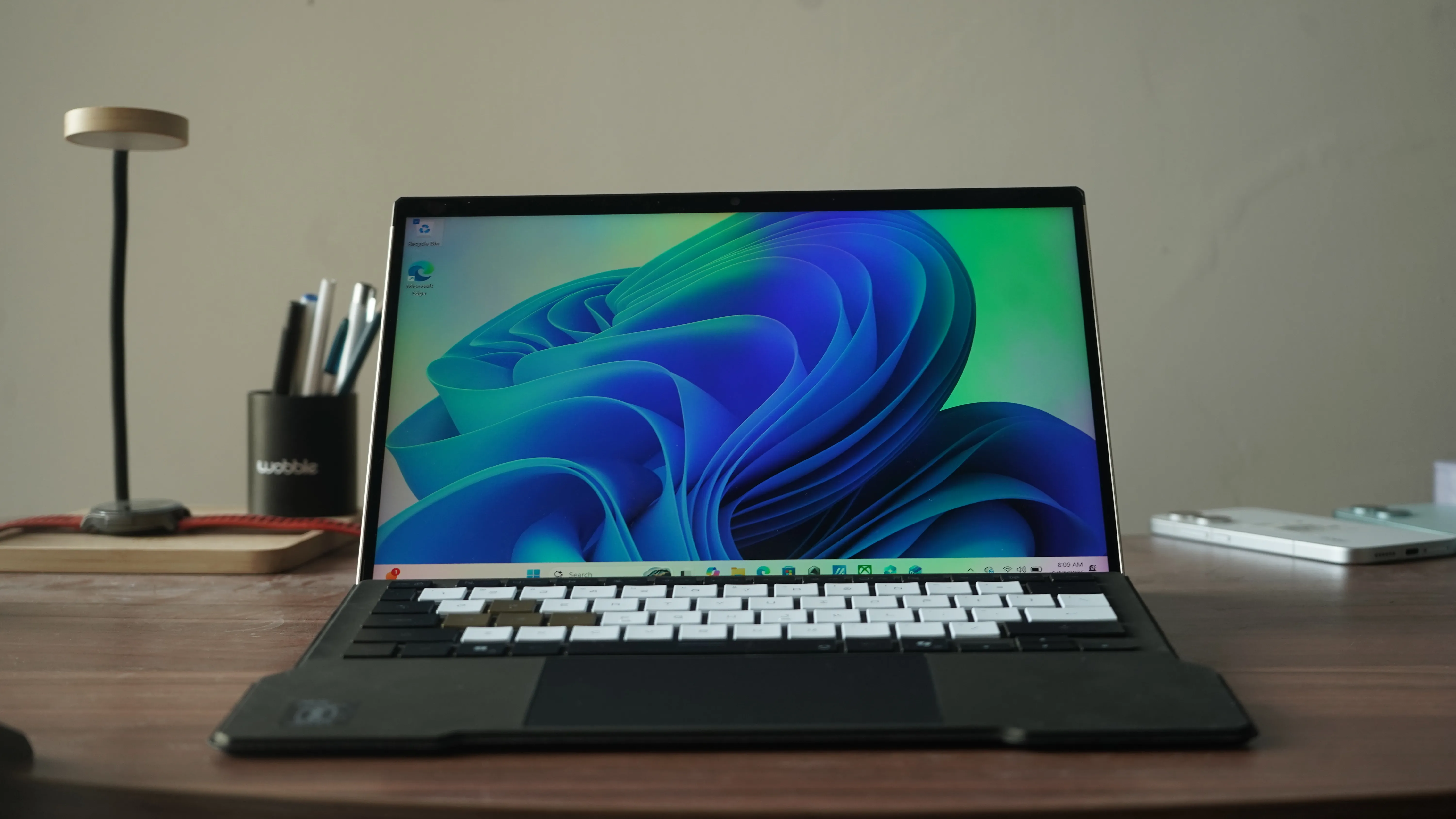
The tablet uses a 13.4-inch panel with a 16:10 aspect ratio and WQXGA (2.5K, 2560x1600) resolution. Here is a plain-English rundown of the specification sheet:
- 180Hz refresh rate - The screen redraws itself up to 180 times a second, which is what makes fast-moving on-screen action, particularly in competitive shooters, look fluid rather than blurred.
- 3ms response time: How quickly a pixel can change colour; a low number here reduces visible ghosting during motion.
- 100 per cent DCI-P3 colour space coverage: DCI-P3 is the wider colour gamut used in digital cinema and most modern premium displays. Full coverage means the panel can reproduce a broader, more vivid range of colours than the older, more limited sRGB standard, which matters both for watching HDR content and for creative colour-grading work.
- 500 nits peak brightness: A measure of how bright the screen can get; this is bright enough for comfortable indoor use and reasonably usable outdoors, aided by ASUS's glare-resistant Gorilla Glass DXC coating.
- Dolby Vision support: An HDR (High Dynamic Range) format that allows scene-by-scene brightness and contrast adjustments for supported video content.
- Pantone Validation: Third-party certification that the panel's colour accuracy meets Pantone's calibration standards, relevant for anyone doing colour-sensitive creative work.
PS - The screen also supports touch and stylus input, positioning the Flow Z13 KJP as something a digital artist could use, not just a gamer.
I'll try my best to explain this without using tech jargon. The display is top-tier, without a doubt. The colour spectrum coverage and production are so good that gaming and creative tasks feel less work and more of a hobby. It is frictionless and it looks great.
Keyboard And Trackpad: Top-tier
Great to use, good to touch, and easy to use.
Performance: Strix Halo Doing What It Does Best
Let's dive straight into the results -
GameResolutionSilent (FPS)Performance (FPS)Turbo (FPS)Rainbow Six SiegeFHD216.7271.7279.7Rainbow Six SiegeQHD172.7176.7175.0Metro Exodus (RT off)FHD84.9105.7116.1Metro Exodus (RT off)QHD60.677.987.3Cyberpunk 2077FHD58.378.096.1Cyberpunk 2077QHD36.750.560.6Shadow of the Tomb RaiderFHD138.5161.5179.6Shadow of the Tomb RaiderQHD108.7127.2139.5Red Dead Redemption 2FHD65.874.578.3Red Dead Redemption 2QHD48.157.863.4Forza Horizon 5FHD179.3194.8208.6Forza Horizon 5QHD136.9155.2165.9
Here is a list of synthetic benchmark results -
BenchmarkSilentPerformanceTurbo3DMark Fire Strike (Combined Score)7,3349,50210,5163DMark Fire Strike (Overall Score)18,07922,13724,3473DMark Time Spy (Overall Score)7,4649,23410,3263DMark Port Royal (Score)3,6994,3165,0353DMark Speed Way (Score)1,3611,6431,832Cinebench 2024 (Multi-Core)1,3091,4501,638Cinebench 2024 (Single-Core)112114115Cinebench R23 (Multi-Core)22,90325,45429,380Cinebench R23 (Single-Core)1,9822,0172,026Handbrake 4K - 1080p (seconds, lower better)273252233PCMark 10 (Overall Score)9,97310,54610,688CrystalDiskMark Sequential Read (MB/s)7,0027,0016,999CrystalDiskMark Sequential Write (MB/s)6,1506,1456,139Before we dive deeper into the performance bit, here is a question - what is an APU, and why does unified memory matter here?
Traditionally, a gaming laptop has two separate memory pools: system RAM, dedicated to the CPU, and VRAM, dedicated to the graphics card. Each is fixed at the time of manufacture. The AMD Ryzen AI Max+ 395 is an APU (Accelerated Processing Unit), meaning the CPU and GPU are fused onto a single piece of silicon, and, critically, they share one large pool of memory rather than having separate allocations.
In the Flow Z13 KJP Edition's case, that shared pool is 128GB of LPDDR5X (8000 MT/s) memory running in a quad-channel configuration. Because the memory is not permanently split between system RAM and graphics RAM, it can be dynamically reallocated depending on the task: more VRAM for a graphically demanding game, or more system RAM for a memory-hungry productivity or AI workload. ASUS frames this as “one chip, one low-latency memory pool, infinite flexibility".
In my review unit, there is 32GB of RAM dedicated to graphics by default. To rephrase this, that is 32GB of VRAM for the Radeon 8060S GPU. Take a few minutes to wrap your head around that.
The chip's core specifications -
- 16 Zen 5 CPU cores, AMD's current-generation processor architecture
- 40 compute units of RDNA 3.5 graphics, AMD's integrated GPU architecture, which ASUS says performs closer to a discrete gaming GPU than a typical integrated graphics chip
- An NPU (Neural Processing Unit) rated at 50 TOPS (Tera Operations Per Second), a dedicated chip for running AI workloads locally rather than in the cloud
Local AI capability
Asus specifically highlights that the combination of the NPU and the large unified memory pool allows the Z13 KJP to run large language models with up to 70 billion parameters locally, meaning entirely on-device, without needing an internet connection or a cloud AI subscription. The guide also points to compatibility with DeepSeek R1's distilled reasoning models via LM Studio, a popular local-AI hosting application, as a practical example of this in action.
Cooling: How Asus Keeps A Tablet-sized Chassis Cool Under Load
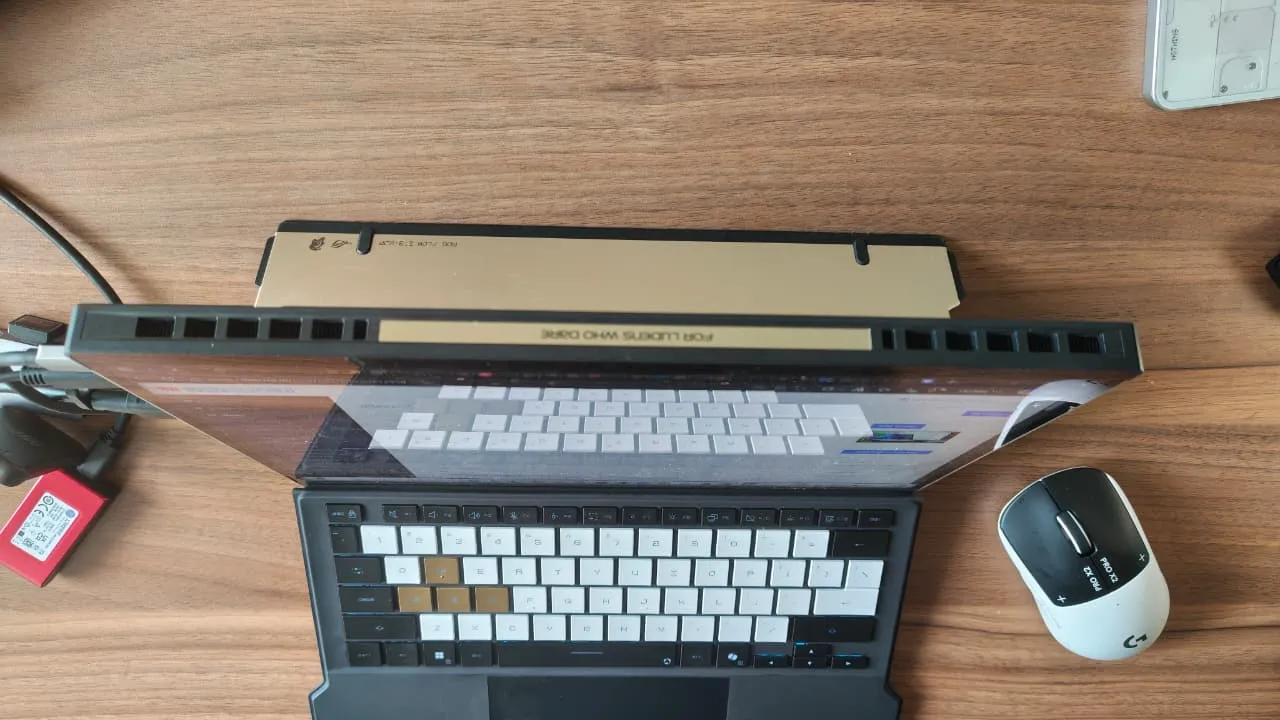
Cooling a high-wattage chip inside a 15mm-thin tablet is a genuine engineering challenge, and ASUS has detailed several specific solutions:
- No-hinge advantage: Because the Z13 KJP is a tablet rather than a clamshell laptop, ASUS says it can use larger fans and a wider vapour chamber than the chassis size would normally allow, and the heat-generating components sit higher off the surface it rests on, improving airflow versus a traditional laptop base.
- Stainless steel and copper vapour chamber: A vapour chamber is a sealed, flat heat-spreading device that uses a small amount of liquid which evaporates and condenses in a continuous cycle to move heat away from hot components far more efficiently than a solid metal block could. ASUS uses stainless steel here specifically because it conducts heat poorly compared to copper, so it can act as a heat shield to protect the display panel and motherboard, while copper vapour chambers, heatpipes, and heatsinks handle the actual heat transport.
- 2nd Gen Arc Flow Fans: Curved-blade fans with a variable thickness design, as thin as 0.1mm at the base, intended to reduce turbulence and noise without sacrificing airflow. ASUS claims this design improves airflow versus its older 71-blade fan design, based on internal testing.
- Ultra-thin copper fins: The two exhaust vents use fins ASUS says are half the size of typical designs, allowing higher fin density for better heat dissipation with less air resistance.
- An airflow channel beneath the screen: Specifically added to keep touchscreen surface temperatures down for user comfort.
Connectivity, Audio, And Camera
.jpeg)

- 2x USB4 (supporting DisplayPort 2.1 and Power Delivery 3.0, and compatible with Thunderbolt eGPUs)
- 1x USB 3.2 Gen 2 Type-A
- 1x HDMI 2.1 FRL
- 1x Command Centre button (quick access to screen and system settings)
- 1x microSD card reader (UHS-II), tucked under the kickstand
- 1x 3.5mm audio combo jack
USB4 is worth a quick explainer for readers: it is the current-generation USB standard that guarantees higher bandwidth and full Thunderbolt-class capability, meaning it can drive external monitors at high resolution, connect external graphics card enclosures, and charge the device, all through the same port.
On the wireless front, we have MediaTek's MT7925 chipset, supporting Wi-Fi 7 (the latest wireless standard, offering lower latency and more resilient performance on crowded networks) and Bluetooth 5.4.
Audio
There are four smart mmp speakers (two front-firing, one on each side), Dolby Atmos support, Hi-Res Audio certification, and a three-microphone array with AI-assisted noise cancellation for calls. This looks and feels great on paper. However, you might feel that the speakers are not as punchy as you would have wanted them to be.
Cameras
A 5MP front-facing camera with 3DNR (three-dimensional noise reduction) and IR support for video calls and Windows Hello-style face unlock make this a suitable device for work as well. Additionally, there is a 13MP rear camera as well. Honestly, I have not used that camera more than once, but it feels good to have it under the belt.
Battery And Charging
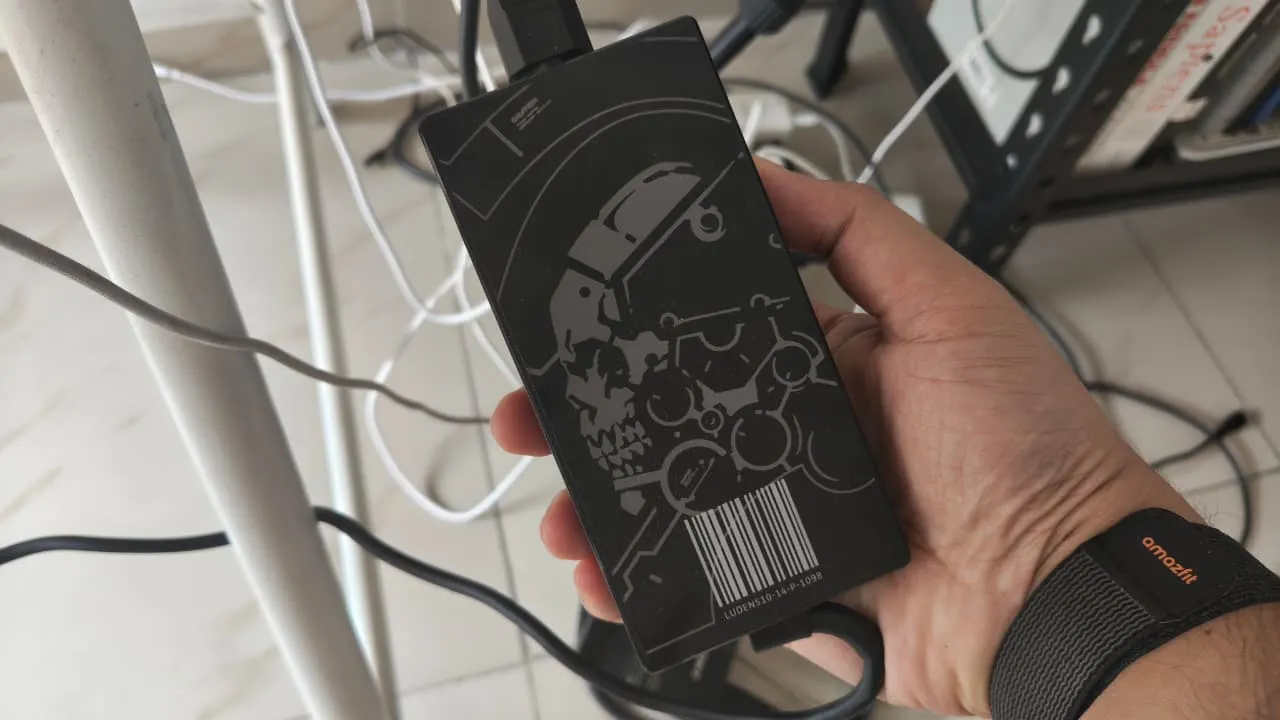
The Flow Z13 KJP Edition carries a 70Wh battery and weighs approximately 1.25 kilograms without the keyboard cover attached, at a 15-millimetre profile. It ships with a 200W power adapter for maximum performance, but also supports USB-C fast charging up to 100W, with Asus claiming a 50 per cent charge in around 30 minutes when using that method. This is highly accurate, though. The laptop charges roughly 50 per cent in 30 minutes and takes about a little over an hour and a half to fully charge.
The adapter is not as bulky as the one that comes with ROG's full-fledged gaming PCs like the Strix Scar 18, but it does add a little heft while packing things in the laptop bag.
Software: Armoury Crate And Operating Modes
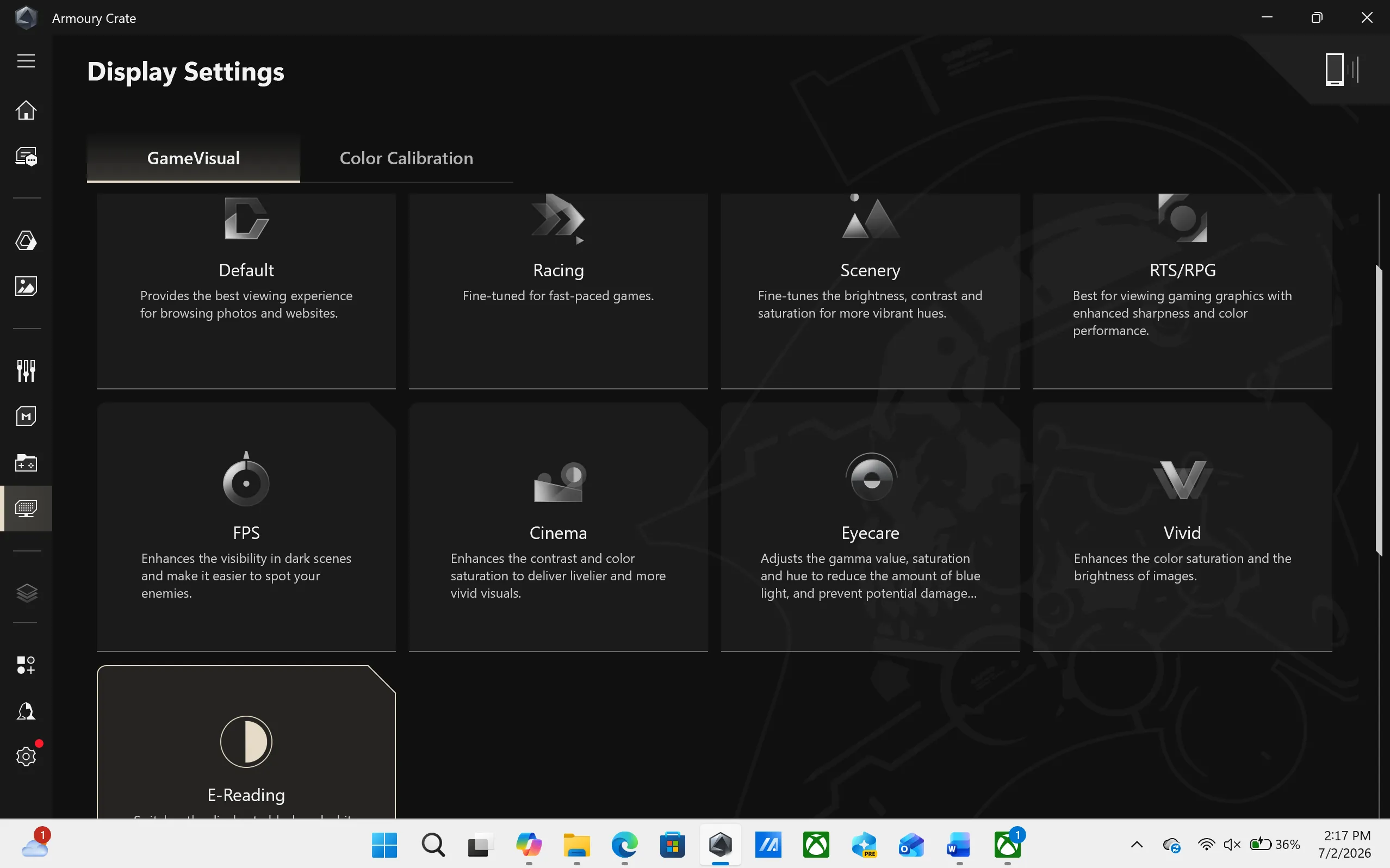
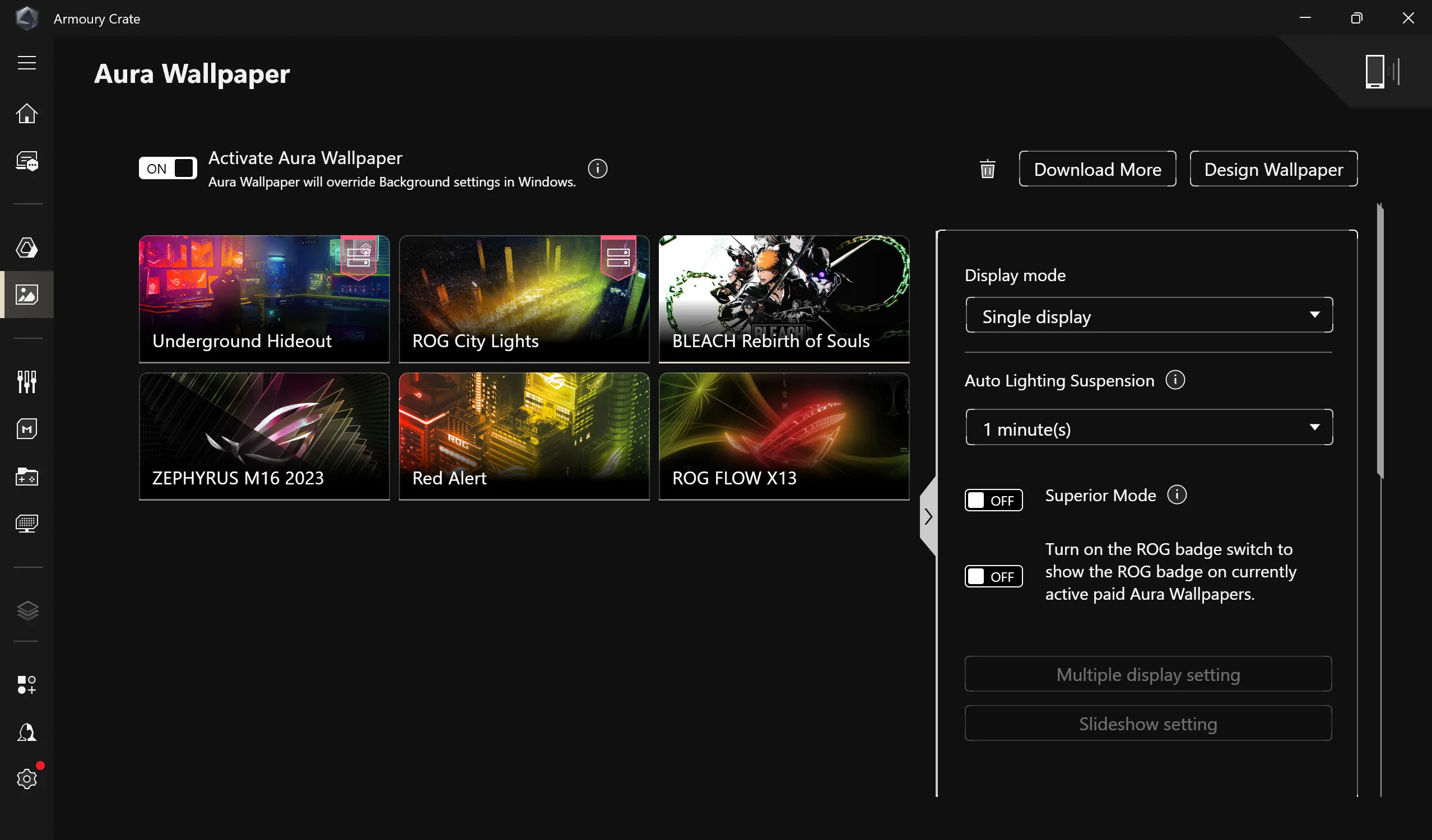
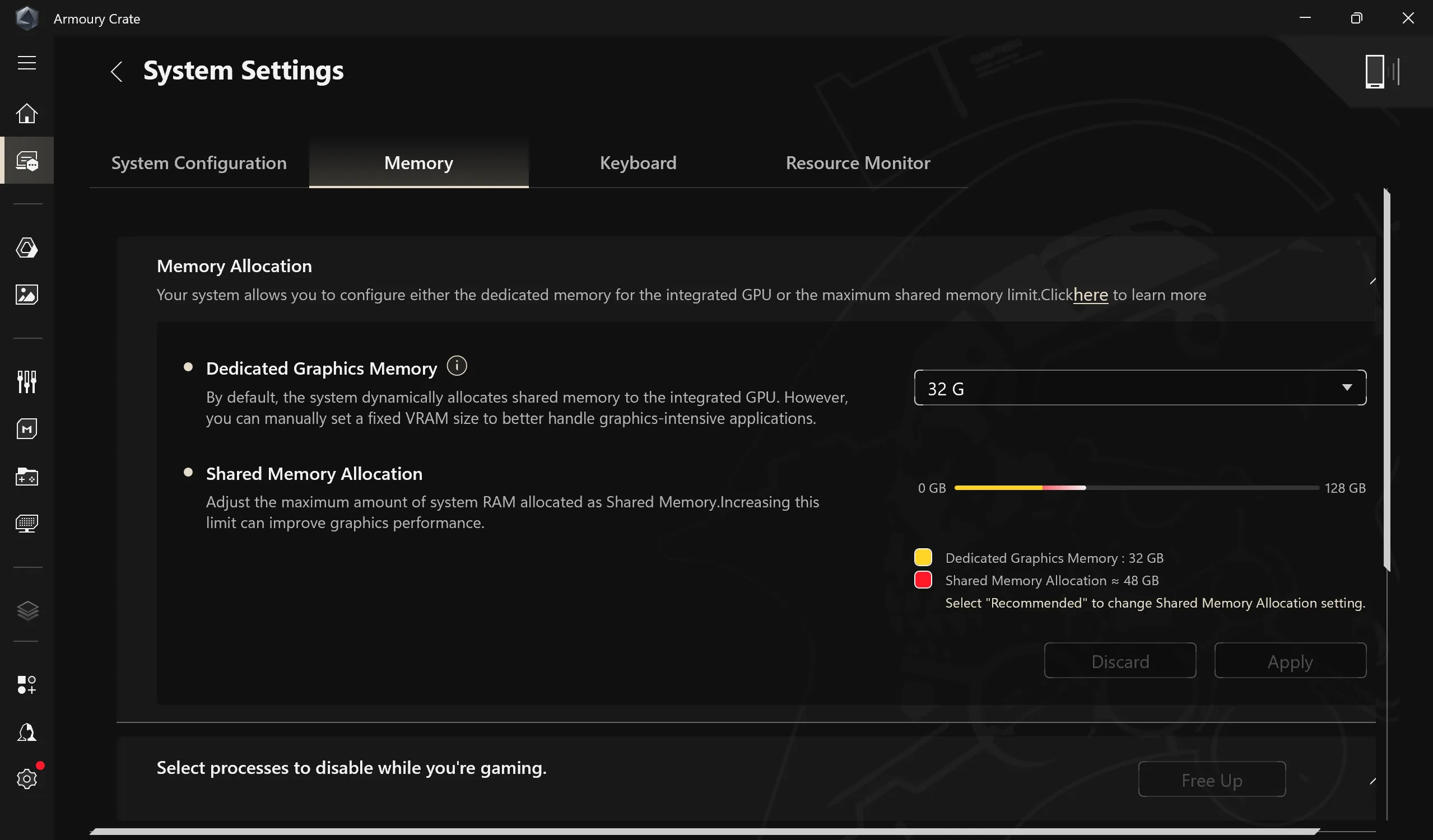
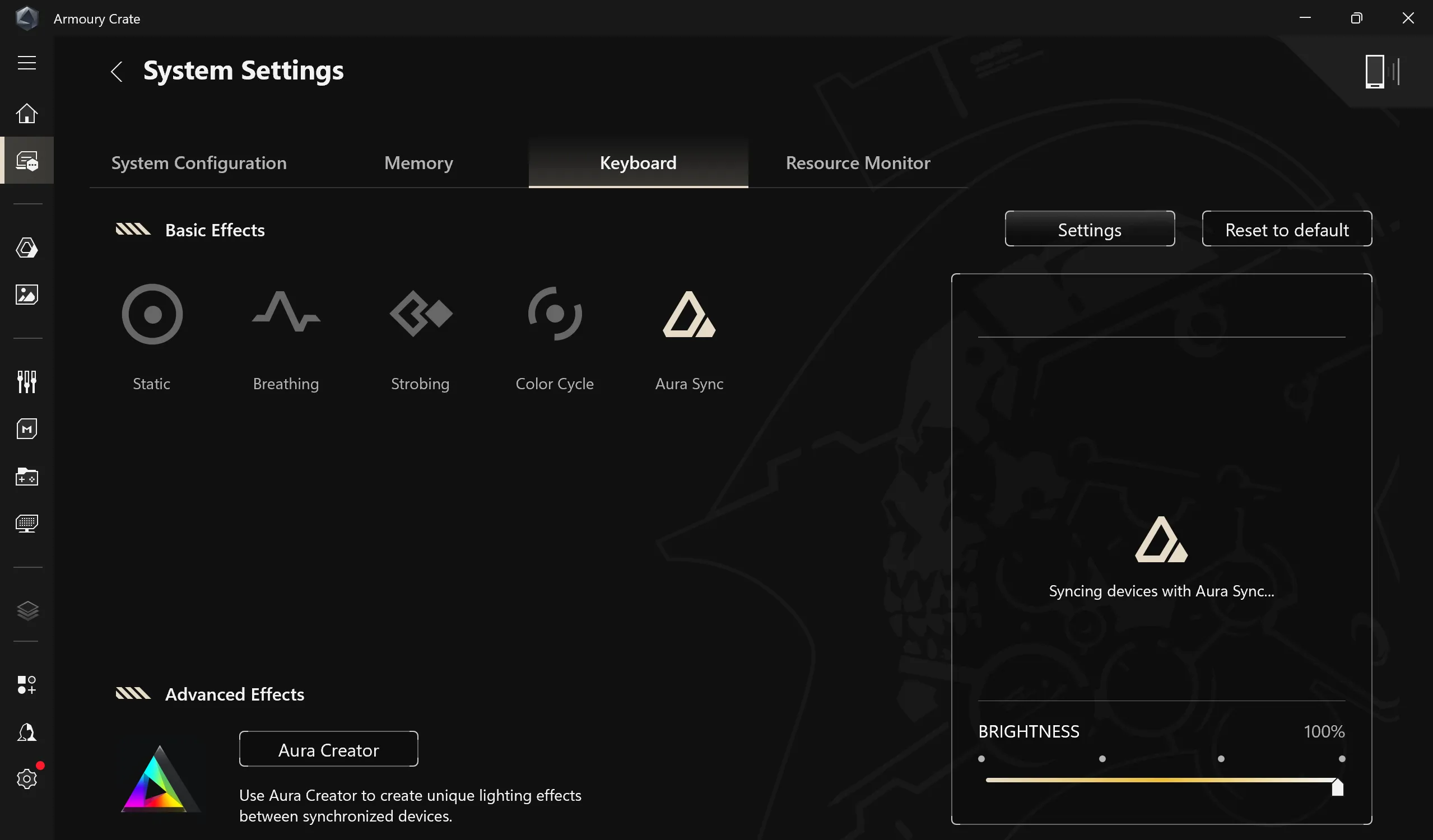
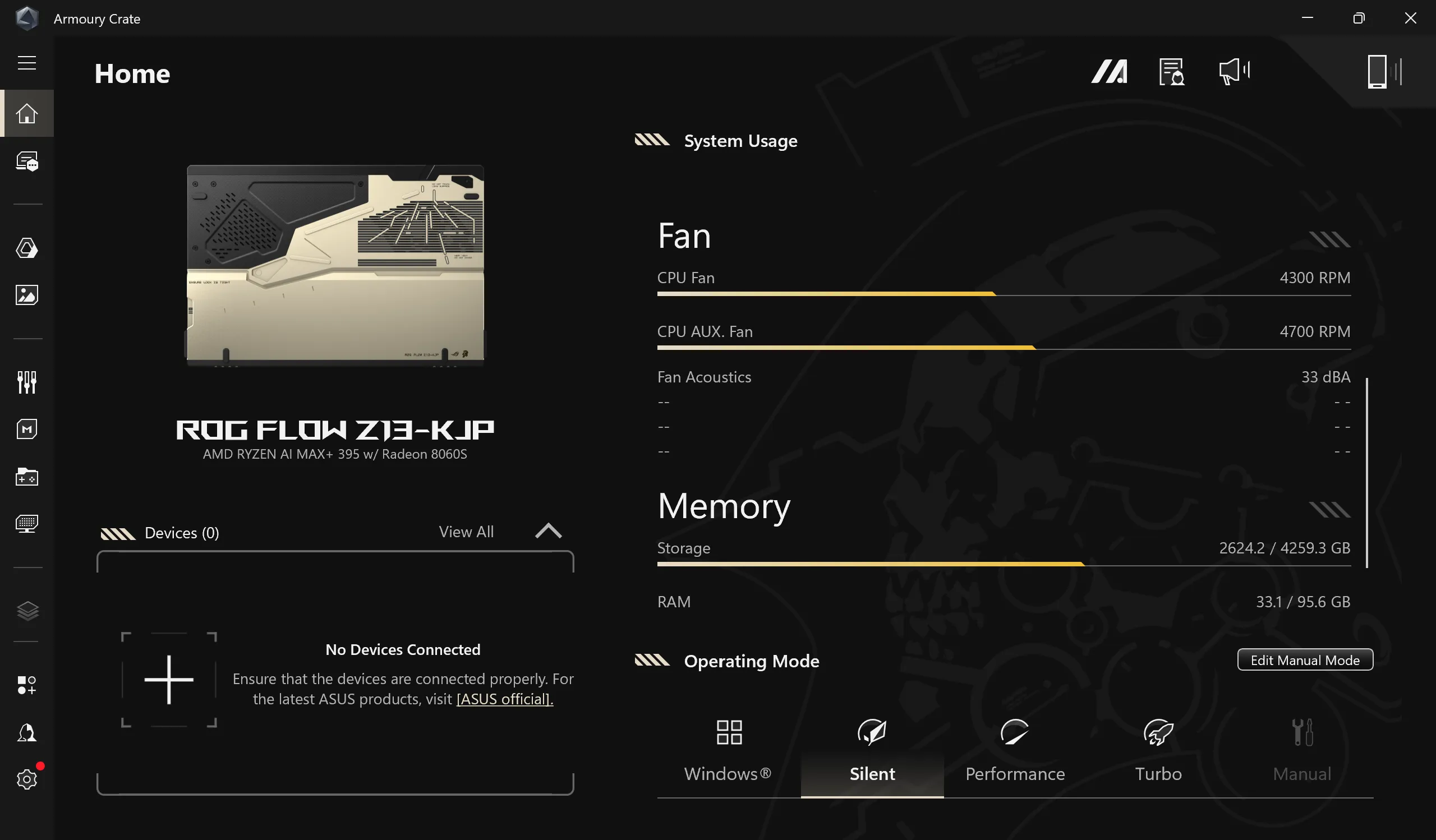
Armoury Crate is ASUS's control-centre application, handling lighting, performance profiles, and system monitoring in one place. For the Flow Z13 KJP, it also carries the exclusive Kojima Productions-themed interface skin and handles the Death Stranding 2 code redemption on first boot.
The five Operating Modes and their associated power and acoustic figures, as supplied by ASUS for the top-spec configuration, are:
Operating ModeSPL (W)sPPT (W)FPPT (W)Noise LevelSilent354055~32dBPerformance455271~37dBTurbo607086~42dBManual809293~48dB
The device also includes ROG GameVisual (six pre-tuned picture profiles for different game genres, such as an FPS mode that boosts visibility in dark scenes) and Scenario Profiles, which let users assign specific performance and lighting profiles to individual games or applications so they trigger automatically.
PS - For users who want desktop-class graphics power on demand, the ROG Flow Z13 KJP is compatible with ASUS's ROG XG Mobile external GPU dock, which connects via USB4 over a single cable. ASUS's current XG Mobile unit houses an NVIDIA GeForce RTX 5070 Ti laptop GPU, comes with its own 330W power supply, and adds DisplayPort, HDMI, and Ethernet connectivity, effectively turning the tablet into a full desktop-replacement gaming rig when docked at home.
ROG Flow Z13 KJP Edition: Who Is This For?
.jpeg)
When you add in the Kojima Productions tag and the stamps of approval from Hideo Kojima and Yoji Shinkawa, this is a pure-bred enthusiast product that has an added layer of a collectable item on top of it. The finish, the attention to detail, the effort that went behind making this PC is just remarkable.
When you strip away the Kojima Productions branding, the Z13 KJP is fundamentally a top-specification ROG Flow Z13, AMD's most powerful mobile APU squeezed into a 15 millimetre, 1.25 kilogram tablet body with a detachable keyboard. That alone makes it a compelling proposition for buyers who want genuine gaming and content-creation performance in an ultra-portable, 2-in-1 form factor, backed by a memory of 128GB LPDDR5 RAM, large enough for serious local AI experimentation, something few other laptops in its class currently offer.
What the collaboration adds is a collector's layer on top: a chassis co-designed with a genuine industry legend in Yoji Shinkawa, a narrative tie-in to one of gaming's most distinctive studios, a free copy of a major recent release in Death Stranding 2: On the Beach, and a set of physical accessories built specifically for fans of the franchise. It is, by the company's own framing, "a piece of art" as much as a working device, aimed squarely at the overlap between ROG's gaming audience and Kojima Productions' fanbase.
Verdict: Should You Buy The Asus ROG Flow Z13 KJP?

The gamer in me is screaming in my head – “go get one ASAP”. That is how great this PC is. It essentially checks all the boxes, be it power, be it a compact form factor, be it a good display, or be it the ability to run any game out there with confidence. The only thing that I wish was there more of was battery life. The Flow Z13 KJP is a power guzzler, and it drains the battery very quickly, which becomes an issue if it is not plugged in.
Underneath the collectable skin of this laptop, the Flow Z13 KJP uses the same internals as the top-spec 2025 Flow Z13 (model GZ302EAC), so every performance, thermal, and benchmark figure ASUS has supplied for this piece is inherited from that base model rather than being unique to the Kojima edition. In other words, this is primarily a design and bundling exercise layered on proven Flow Z13 hardware.
.jpeg)
Now, speaking about the design, CMF, and the build quality, I believe I covered everything in the review. There is no way any other enthusiast gaming PC comes even remotely closer to this one in terms of CMF, design, and overall build. It is simply too good. When talking about collectables or limited edition items, the Flow Z13 KJP Edition has to be an S-tier product. On the engineering front? The display itself has everything inside it, starting from the I/O, the cooling fans, and the CPU, GPU, and memory; it boggles my mind, to be honest.
So much so that during this review, I completely ignored the fact that the fans are really loud. On Turbo mode, i.e., while plugged in and playing AAA games like Forza Horizon 6, Tekken 8, Halo Infinite, FC26, Atomfall, Doom: The Dark Ages, or Death Stranding, the fans will make their presence felt. Is that a deal breaker, though? Not even close.
This machine is more than a gaming PC/tablet; it feels more like a heritage item or a symbol of gaming legacy. I will be honest, the Hideo Kojima and Yoji Shinkawa stamp on it does play a huge role.
At Rs 3,79,990, the ROG Flow Z13 is a PC that just impresses you from the start, and in my case, till the end (this was loaned by Asus for the review). The AMD Ryzen AI Max+ 395 clubbed with the AMD Radeon 8060s GPU is a combination that is tough to beat.
Keep following BWTV Prime and BW Businessworld for more reviews. |