Logitech’s MX Master series has long been regarded as the gold standard for productivity mice, with the MX Master 3S earning widespread acclaim for its sculpted design and reliability. Now, the MX Master 4 arrives with the unenviable task of improving on what was already considered near-perfect.
This is a steep hill to climb. After spending time with the device, it is clear that Logitech has probably perfected what was already a great product. I feel sorry for the team working on the MX Master 5 or whatever the successor to this mouse will be called.
In this review, we dive into the Logitech MX Master 4 and try to understand if spending Rs 12,995 on a mouse is worth it or not.
Specifications: Logitech MX Master 4
SpecificationDetailsProduct NameLogitech MX Master 4 Wireless MouseModel NumberMR0118 DimensionsHeight: 128.15 mm; Width: 88.35 mm; Depth: 50.8 mmWeight150 gramsSensor & Tracking8,000 DPI; Any-surface tracking (including glass)Scroll WheelMagSpeed Electromagnetic Scroll (scrolls 1,000 lines per second), unlimited scrollingConnectivityLogi Bolt USB Receiver; Bluetooth Low EnergyCompatibilityWindows 10/11, macOS 12+, ChromeOS, Linux, Android 12+Software SupportLogi Options+Key FeaturesHaptic feedback for precision; Actions Ring shortcuts Buttons & ControlsMulti-function buttons; Customizable via Logi Options+Battery & ChargingRechargeable via USB-C; Long-lasting battery Color OptionsGraphite and WhiteSustainabilityImproved stain resistance; Designed with eco-conscious materialsIn the BoxMX Master 4 Mouse, Logi Bolt Receiver, USB-C charging cable, User documentationDesign: A Paradise For Ergonomics Geeks
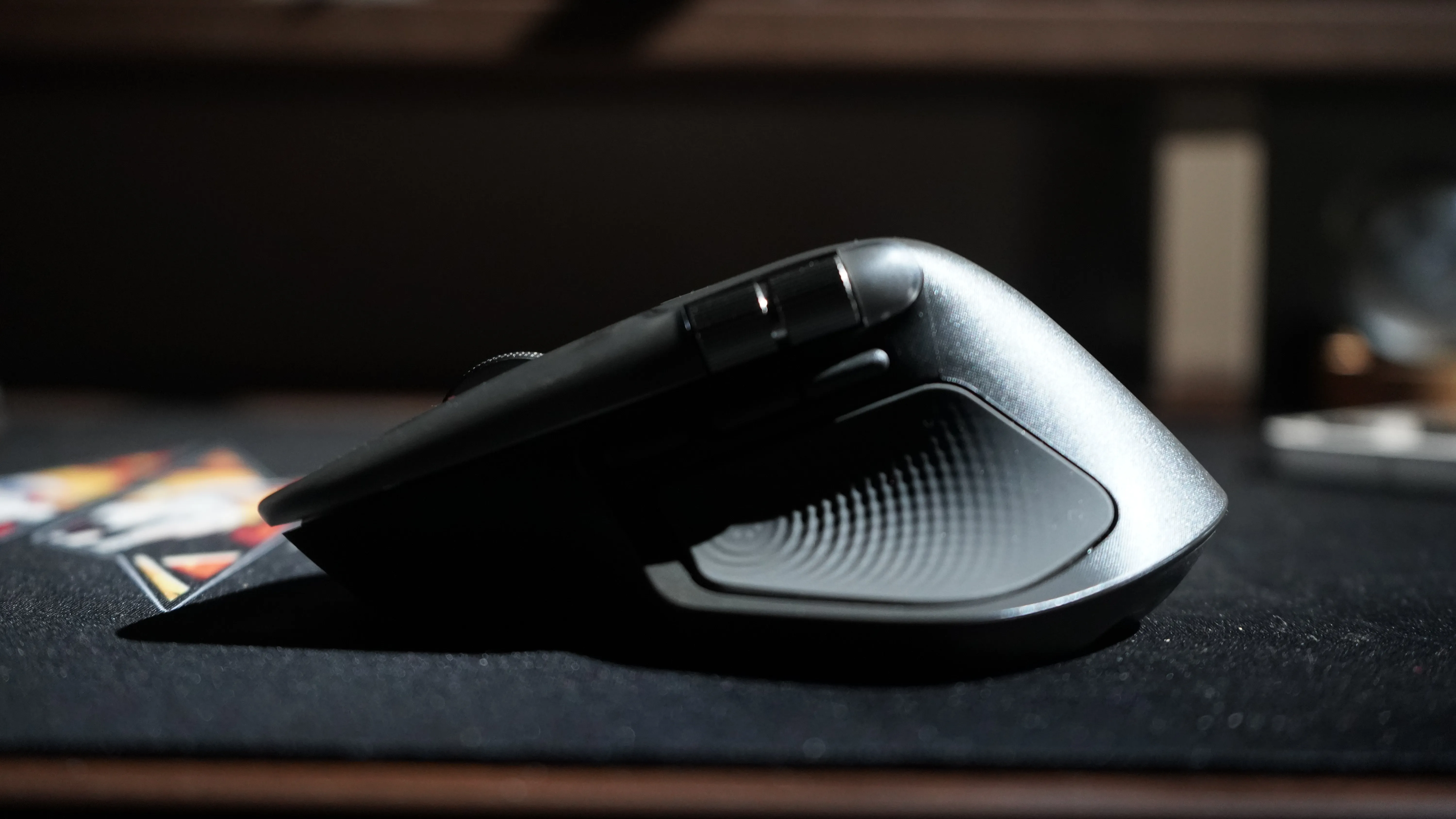
At first glance, the MX Master 4 looks familiar, but closer inspection reveals subtle yet impactful changes. The mouse retains its right-handed orientation and signature ergonomic contour, but Logitech has reworked the grip surfaces. The rubberised texture now covers only the right flank and wing, aligning perfectly with the thumb, ring, and pinky fingers. This adjustment makes the mouse feel more natural in the hand.
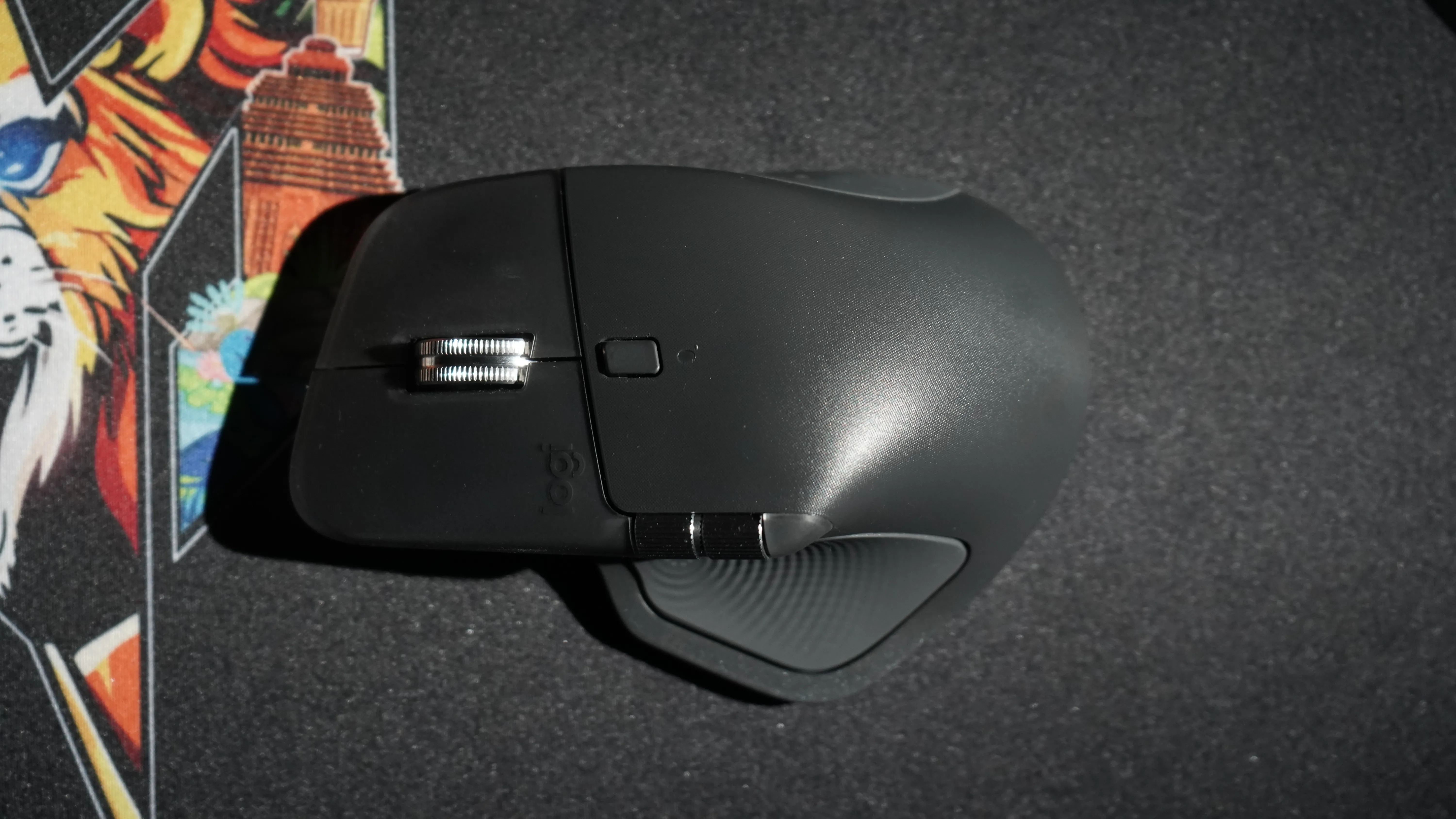
The left and right clickers have been extended around the scroll wheel, offering more surface area for the pointer and middle fingers. Combined with the slightly larger dimensions of 5 x 3.4 x 2 inches compared to the 3S’s 4.9 x 3.3 x 2 inches, the MX Master 4 feels more substantial. At 5.2 ounces or 150 grams, it is marginally heavier than its predecessor, and you do feel the weight of the mouse when holding it, but not so much while using it on a proper mouse pad. The weight distribution ensures smooth handling.
Underneath, Logitech has widened the PTFE feet around the edges and sensor, resulting in a noticeably smoother glide across surfaces. The Darkfield sensor remains unchanged, offering precise tracking up to 8,000 DPI on virtually any surface, including glass.
New Features: Haptics, Gesture Button, Action Ring
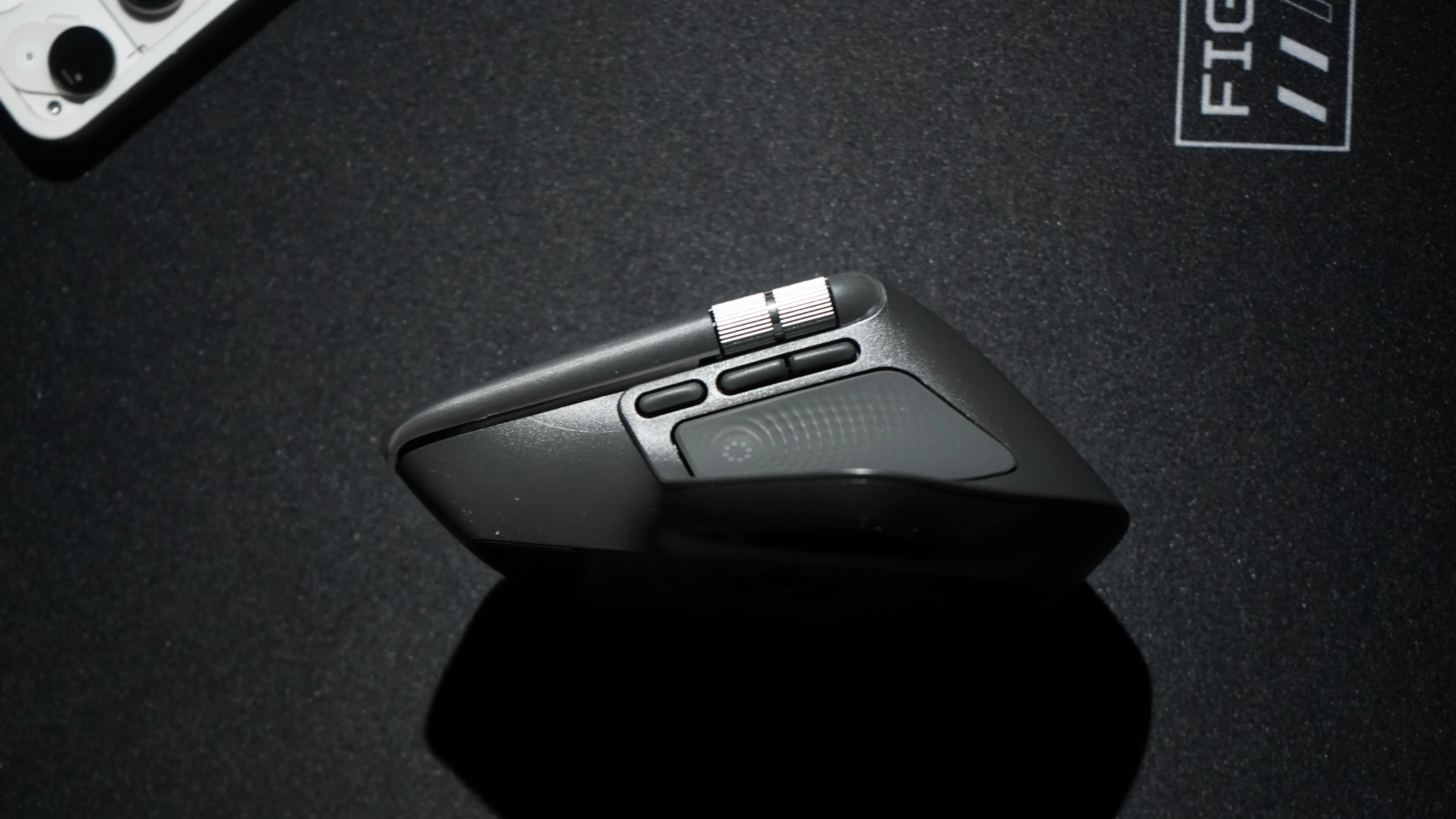
The headline addition is haptic feedback, integrated into nearly every function of the mouse. The haptic motor is right where the tip of the right-hand thumb goes. Whether scrolling through documents, selecting text, or editing video timelines, the subtle vibrations add a tactile dimension. Now, whether users will find this useful or not is subjective. Some might argue this is vanity, considering this is simply a work mouse. Some might say this adds a layer of utility, especially those who use software like Premiere Pro.
.png)
.png)
.png)
.png)
.png)
Users can, of course, choose from four intensity levels, i.e., subtle, low, medium, and high. Stronger feedback will consume more batter,y and vice versa.
Equally significant is the new gesture button, which was previously located where the haptic motor resides now. It is located alongside the side buttons now. It might be a bit confusing at first, as you might struggle to click on the forward button and accidentally press the Gesture Button.
This feature allows users to trigger system-level shortcuts with directional movements. For instance, pressing the button and sliding the mouse down hides the desktop, while sliding up opens the start menu. It’s a small addition that quickly becomes second nature, streamlining everyday workflows.
The Action Ring is another highlight of the MX Master 4. Positioned on the wing of the mouse, it launches a digital overlay of eight options which are fully customisable. Moving the mouse toward a selection activates it, creating a dynamic shortcut menu. Hovering over the options gives a very prominent haptic feedback. The ring can even expand into submenus, such as AI tools or volume controls, offering a level of customisation rarely seen in a peripheral like a mouse.
Connectivity: A Ton Of Ways To Connect
.png)
.png)
Logitech has improved connectivity by repositioning the internal antenna and upgrading the chip for stronger wireless performance. The company claims double the connective strength compared to the 3S, though real-world usage already felt seamless. The mouse supports Bluetooth and Logitech’s Bolt USB Type-C dongle, which can pair with up to two devices simultaneously. The only drawback I see here is that the dongle has gotten smaller, and hence, there is a higher risk of losing it. Additionally, there is no space for storing the dongle. My G304 has a place to store the dongle, and that is the only reason I am still able to use it after 3 years.
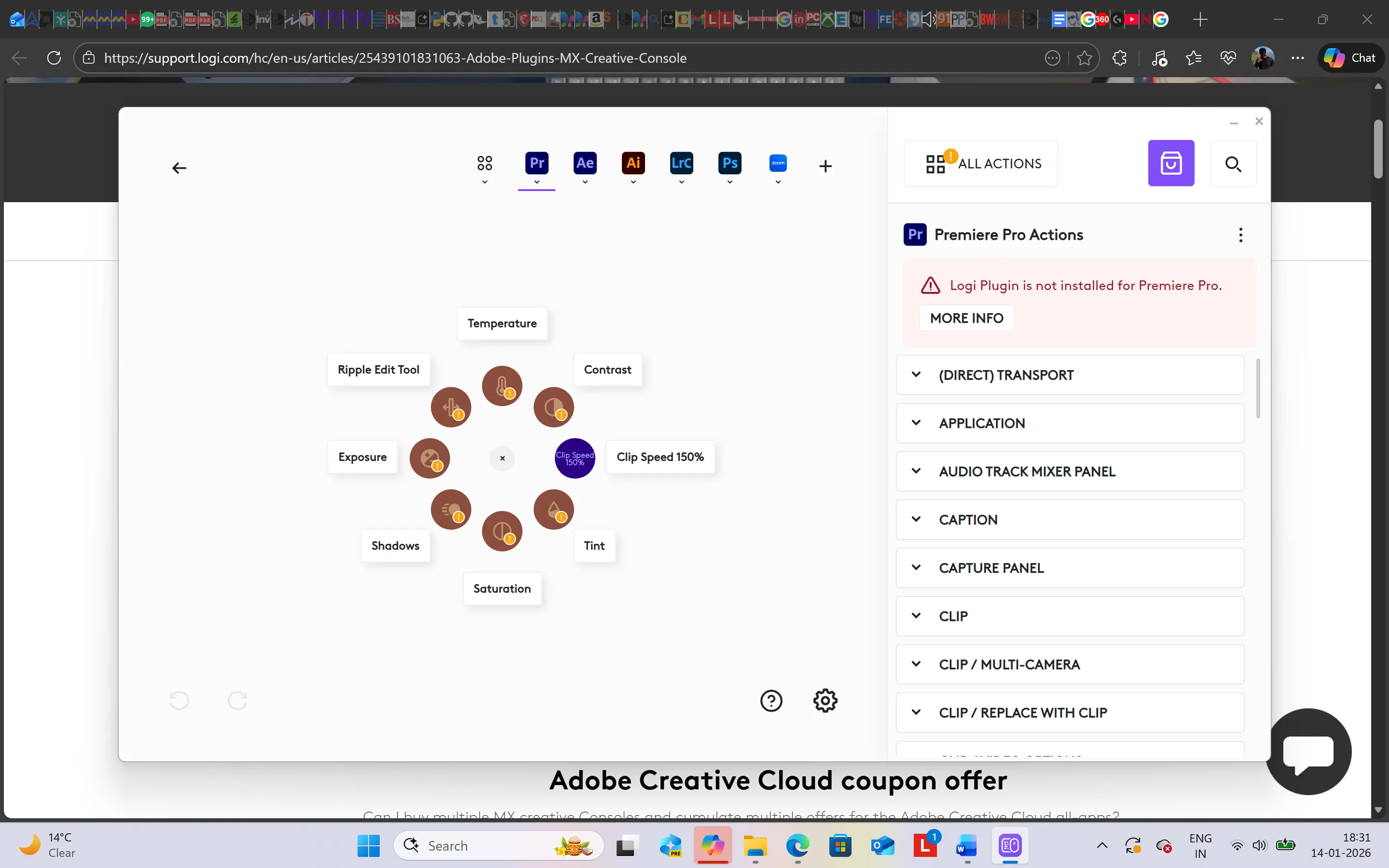

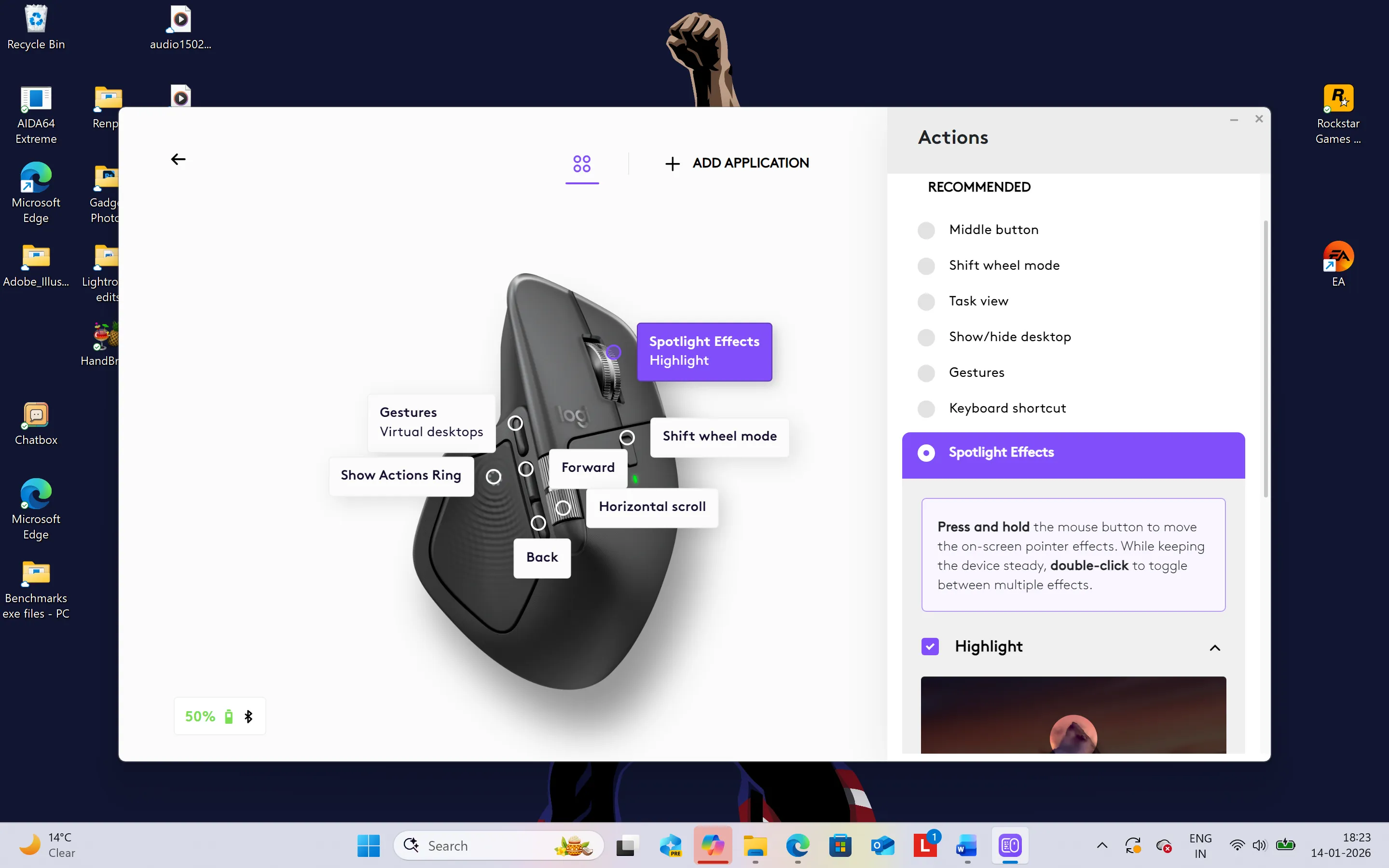
Customisation remains a cornerstone of the MX Master experience. Through Logi Options+, users can assign shortcuts, build app-specific profiles, and even integrate plug-ins tailored to software like Adobe Premiere Pro, Lightroom, Photoshop, After Effects, Zoom, and Excel. While the current plug-in library is limited, Logitech’s marketplace is expanding, with support for tools ranging from Figma to Microsoft Flight Simulator. Yes, Flight Simulator.
Additionally, the Logi+ app UI is one of the finest ones I have seen lately. It is so intuitive and there is quite literally no scope of getting confused whatsoever.
Performance
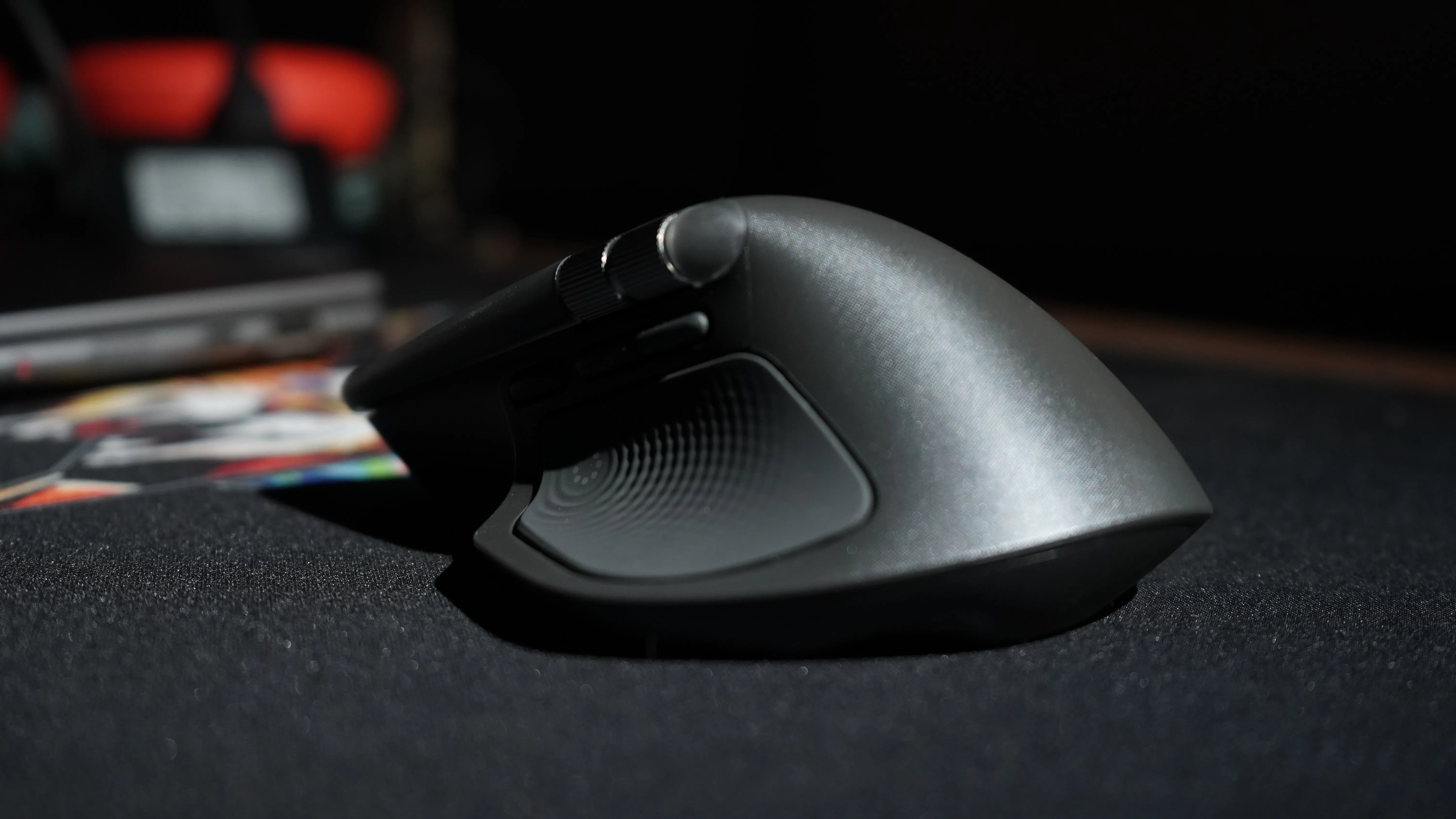
In practice, the MX Master 4 feels smooth and responsive. The button placements reduce the need for finger repositioning, while the haptic feedback adds confidence to every action. The MagSpeed scroll wheel is impressive, switching effortlessly between free-spin and ratcheted modes. I personally do not like the free scroll mode. The subtle scroll stops in the ratcheted mode give confidence and make the user experience better in my opinion.
Clicking is quieter this time. Logitech claims a 90 per cent reduction in noise compared to the 3S. To this, I need to say, “Who asked for a silent mouse?” I prefer the analogue clicking of a mouse. Makes me feel like I’m doing something important. I wish they gave an option to choose from here. The difference is immediately noticeable as the mouse doesn’t make that typical sound that we associate with mice. There is a tactile feel, though.
Battery is a strong suit, with at least 70 hours of use on a full charge. Heavy haptic usage can drain the battery faster, but users can opt for medium mode, which is the recommended option, or they can go for the battery-saving mode. Even better, disable haptics entirely. It honestly doesn’t change much. Charging is handled via USB Type-C, though the absence of a bundled cable is kind of an inconvenience. In all honesty, I hardly use the in-box cables in consumer tech items anyway. However, having an extra cable feels good. On the other hand, it might help us save the planet. So, there’s that.
Plugins Needed
Logitech plugins need to be downloaded for various software. That is how you can fully utilise the prowess of the MX Master 4. You will then need to connect your preferred software to those plugins as shown here in the image below >>
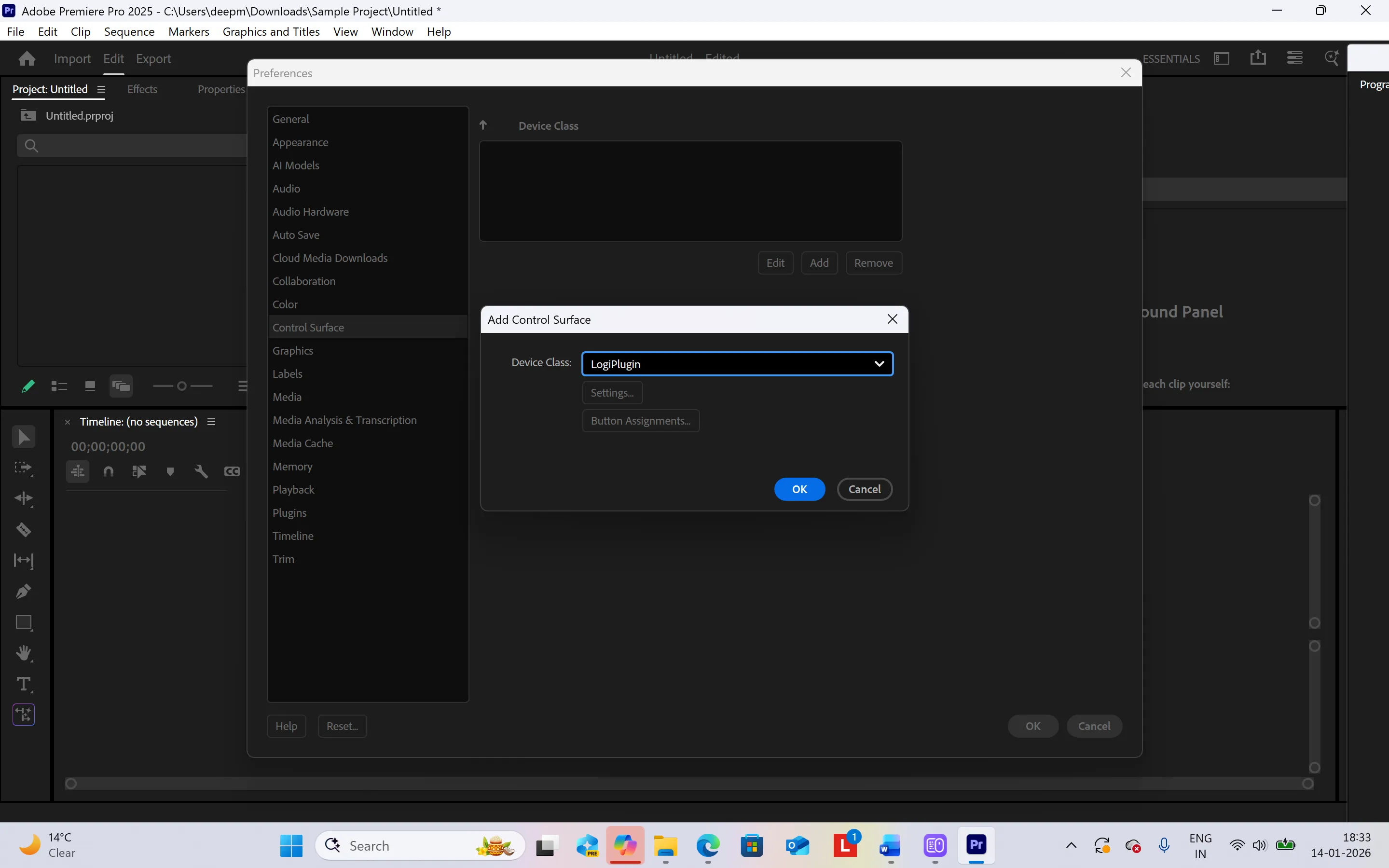
This is me connecting the Logitech plugin to Adobe Premiere Pro. It is a fairly simpl;e process and only takes a few steps.
What Could Have Been Better?
The MX Master 4 is not without its shortcomings. Left-handed users remain excluded, as Logitech continues to design exclusively for right-handed ergonomics. There is also no storage slot for the USB dongle, a small but frustrating omission for mobile professionals.
The Action Ring and gesture button add versatility for sure, but they require time to master and may feel overwhelming to new users. Speaking as a video editor, I can say that if you are set in your ways on the keyboard with various keyboard shortcuts, it will be a steep learning curve to incorporate the MX Master 4 shortcuts into your workflow. There are chances you might just give up learning new shortcuts and only use the mouse the way one would use any ordinary mouse, and stick to the keyboard shortcuts.
Verdict: Should You Buy The Logitech MX Master 4 Mouse?
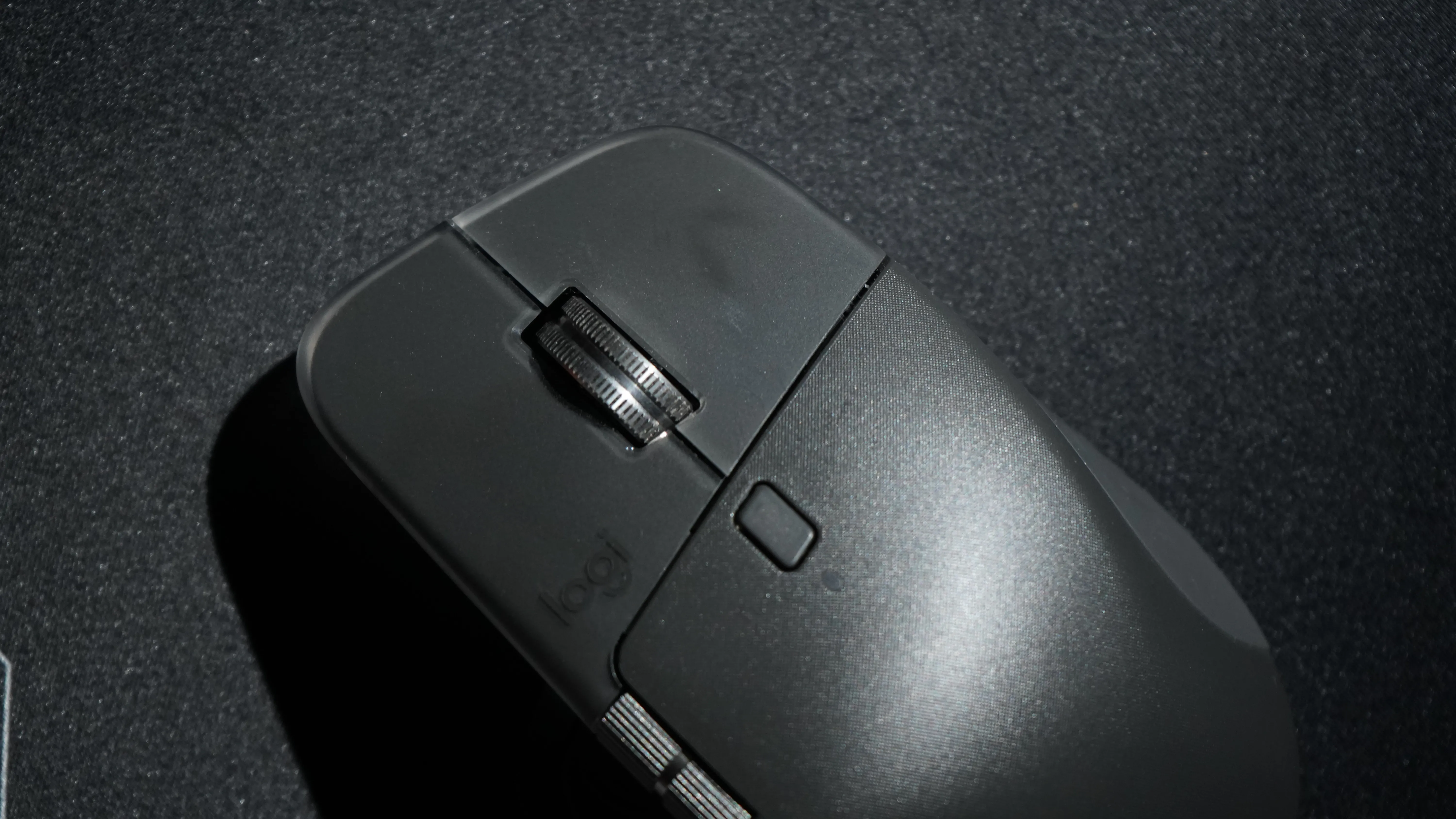
The Logitech MX Master 4 builds on the strengths of the MX Master 3S while introducing innovations that genuinely enhance productivity. The combination of haptic feedback, gesture controls, and the Action Ring makes it more than just a mouse, i.e., it is a customisable command centre for digital workflows. It works across systems, across operating systems, and connects with 3 systems simultaneously. For professionals who rely on precision, speed, and seamlessness, the MX Master 4 is an easy recommendation. The question of whether it is better than its predecessor is a tricky question, though.
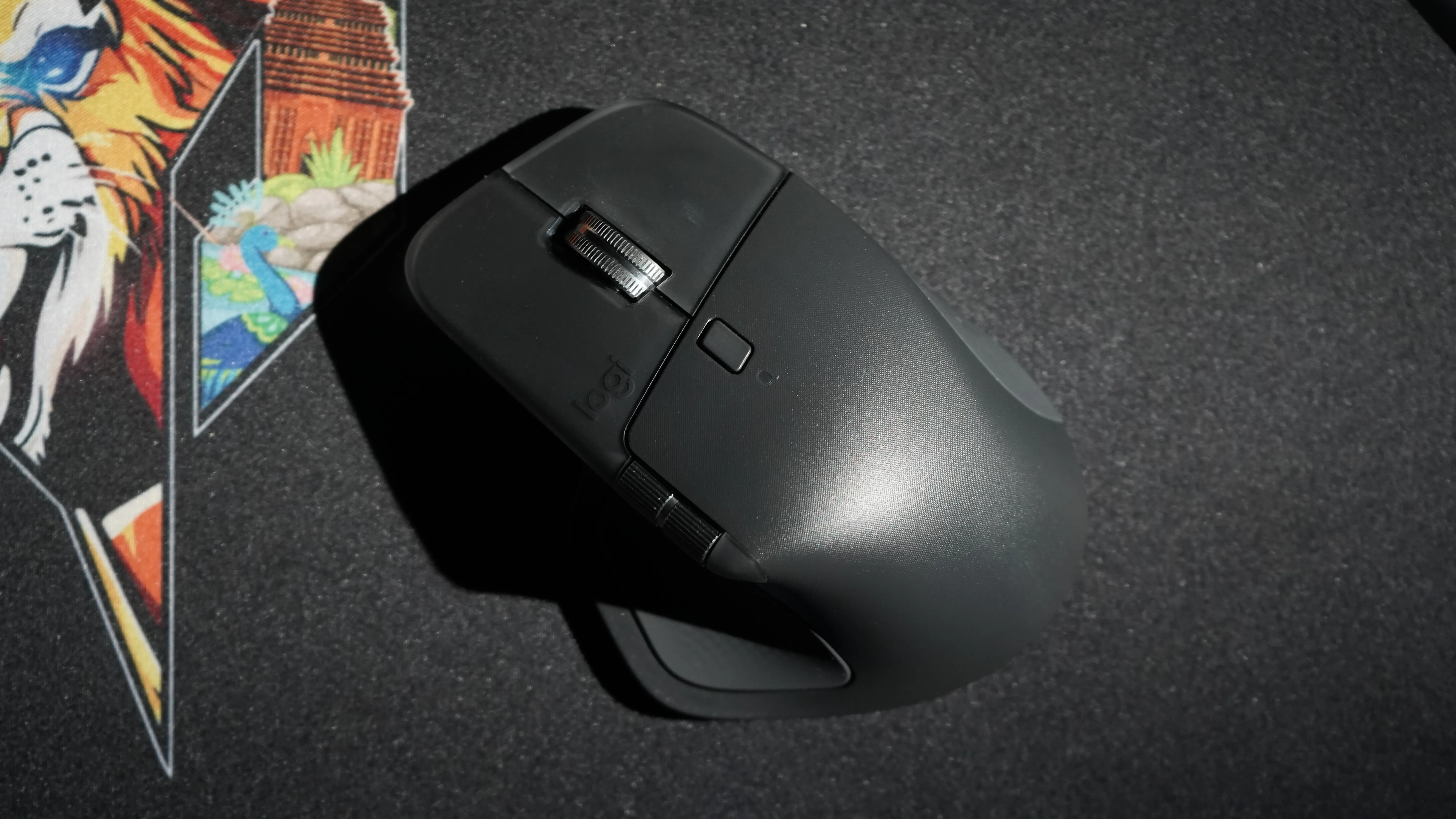
PS - One subtle but important thing about the MX Master 4 is that the rubber-like outer surface on the mouse is silicone and not rubber. In the Mx Master 3s, it was rubber. Overall, the MX Master 4 weighs 150 grams.
At Rs 12,995, it is priced quite high given the features it offers. At the end of the day, Logitech is gradually shifting from just being a hardware provider to a hardware plus software operator. The result is kind of awesome. You get a one-stop shop for almost all your productivity needs. If you look closely, the MX Master 4 is a worthy upgrade, but it barely makes the cut as the MX Master 3S is still a very useful tool to have in your bag. Casual users may not feel compelled to switch from the 3S immediately, and that is fine. The MX Master 4 is a specialist tool, after all.
For more tech reviews, keep following BW Businessworld and BWTV Prime. |





